- AI Transformation
- Services
- Works
Other projects
AI Learning PersonalizationSmart content recommendationsHotel AI ConciergeAI assistant for hotel guestsClaims Documentation AutomationPlatform for faster claims processingAI for Candidate ScreeningSmart HR efficiency boosterAI Voice AgentAI agent for hands-free learningLLM Legal SummarizationEfficient and fast legal summariesVision-Based Driving AssistanceReal-time threat detection system - Company
Yellow in Numbers
$2.1B+
Value generated through AI innovation47
Custom LLMs and AI agents deployed30M+
Engaging with products we created98%
Projects delivered within agreed budget


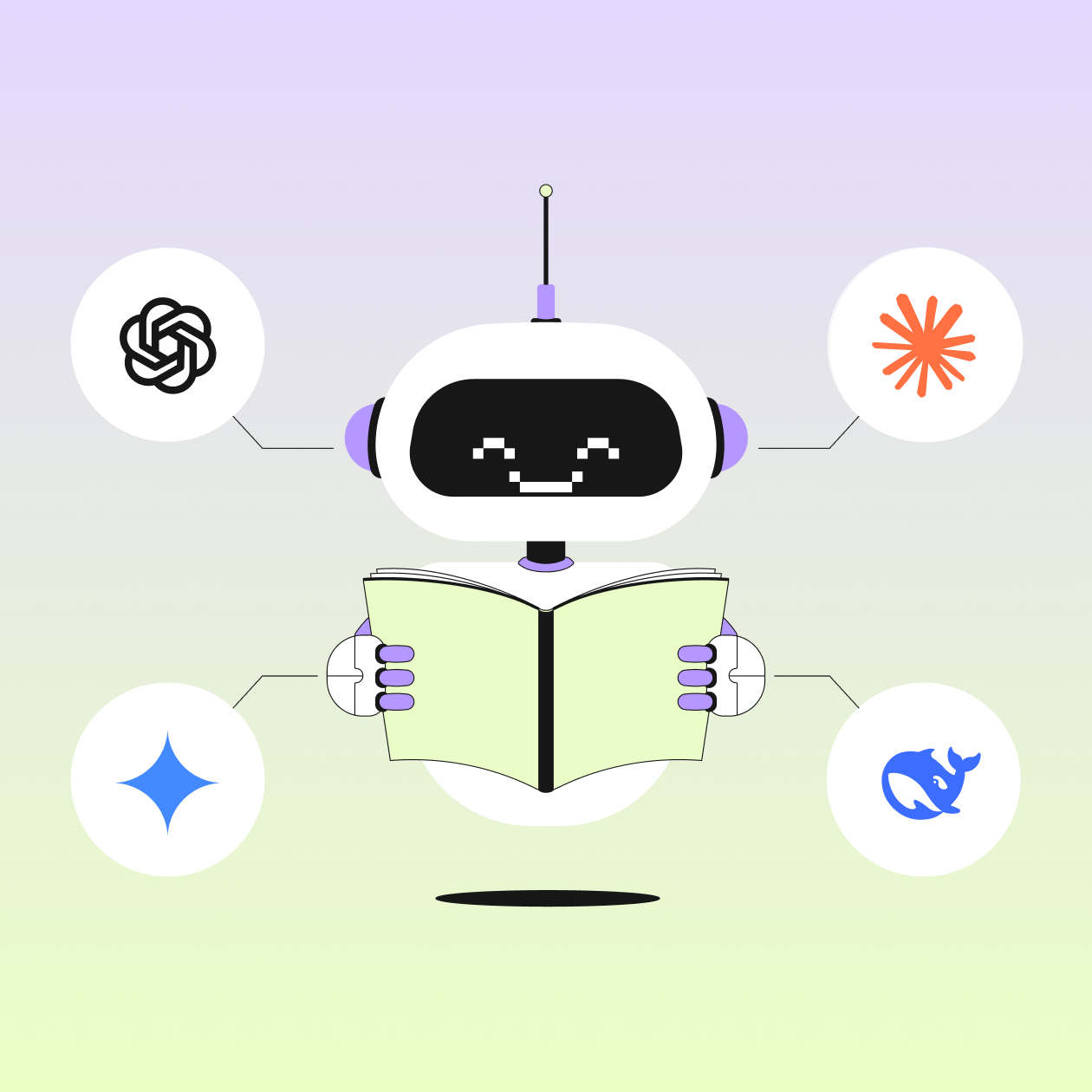
In this guide, we’ll look at the best LLMs for coding in 2026, how they compare, and where each one actually works best. Not just in theory, but in the kind of day-to-day development work most teams deal with.
Key Facts
The landscape of software development automation has shifted entirely. Asking models to write individual functions is no longer enough. We ask them to architect entire systems.
Context window size is the new battleground. Models in 2026 routinely ingest entire repositories rather than just isolated files.
Agent-based coding tools are replacing standard autocomplete features. AI now acts as a full-time junior engineer rather than just a spellchecker.
Benchmarks like SWE-bench are becoming saturated. The industry is struggling to find metrics hard enough to actually test these massive models.
Using a single model is a rookie mistake. The best AI for coding usually involves a multi-model orchestration approach.
We are living in a weird transition period for software development. Two years ago, getting an AI to write a functional Python script felt like sci-fi. Now, if an AI can't debug a sprawling microservices architecture across three different programming languages in under twenty seconds, engineers call it useless.
It’s incredibly impressive to watch large language models for coding absorb complex logic and spit out production-ready architectures. But there is also something deeply unsettling about agents churning away at 3 am, restructuring databases, and committing code while nobody is actually watching them. We are handing over the keys to the kingdom.
Finding the best LLMs for coding isn't just about picking the one with the highest benchmark score anymore. It’s about workflow integration. It’s about how the model handles a vague/poorly written prompt. It’s about whether it hallucinates a library that doesn't exist and confidently tells you to install it.
We need to break down what actually works in 2026. Let's look at the top contenders, evaluate their real-world performance, and figure out how to integrate them into your daily stack without losing your mind.
Your smart software system is almost here!
The Best LLMs for Coding Tasks
The models available in 2026 have mostly moved past syntax errors. They understand syntax perfectly. What separates the good from the great is reasoning. When you need debugging with AI, you want a model that understands the business logic behind the code, not just the characters on the screen. Here is how the current heavyweights stack up.

GPT-5.x
OpenAI's GPT-5 iteration series is a massive piece of engineering. It feels less like a chatbot and more like a senior architect staring over your shoulder.
The most noticeable upgrade here is how it handles multi-step reasoning. If you give GPT-5.x a prompt like "Migrate this authentication system from standard JWTs to a custom OAuth2 implementation," it actually stops and writes out a transition plan and asks you clarifying questions if it’s stuck.
Its code completion capabilities are top-tier. But where GPT-5.x really shines is in legacy codebase comprehension. It has a massive parameter count dedicated entirely to understanding outdated frameworks. If you are stuck maintaining a ten-year-old enterprise application, this model is exactly what you need.

However, it is heavy. It uses a massive amount of compute, which means latency can sometimes be an issue during peak hours. And waiting five seconds for a code block to generate can break your flow state.
Claude Opus 4.6
Anthropic took a completely different approach with the Claude 4.6 family. They leaned heavily into context window size. Opus 4.6 can digest an absurd amount of information at once. We are talking about feeding it hundreds of files, API documentation, and your entire Git commit history in a single prompt.
When you need to perform massive refactoring, Opus 4.6 is almost untouchable. You can ask it to rename variables across fifty different files to match a new naming convention, and it will do it flawlessly while maintaining the structural integrity of your application.

That said, Opus 4.6 has a tendency to be overly wordy. It loves to explain what it’s doing. Sometimes you just want the code, but Opus insists on giving you a three-paragraph essay on the Big O notation of the algorithm it just wrote.
Claude Sonnet 4.6
Sonnet 4.6 is the faster, leaner sibling of Opus. For day-to-day AI-assisted development, Sonnet is arguably the best balance of speed and intelligence on the market right now. It’s incredibly fast. When integrated into an IDE, its response time is virtually indistinguishable from local processing.
It excels at smaller, highly specific tasks, like writing unit tests or generating regex patterns. It does these things instantly.

The trade-off is, unfortunately, memory. While its context window is technically large, its recall degradation is noticeable. If you feed it a massive repository, it tends to "forget" the files loaded at the very beginning of the prompt. You have to be careful not to overwhelm it. Keep your requests scoped to a few files at a time, and Sonnet will rarely disappoint you.
Gemini 3.1 Pro
Google's Gemini 3.1 Pro is, well, strange. It’s deeply embedded in the Google Cloud ecosystem, which makes it either incredibly convenient or incredibly frustrating, depending on your tech stack.
Gemini's biggest advantage is its native multimodal processing. You can literally take a screenshot of a broken UI component on a webpage, paste it into Gemini, and say, "Fix the CSS so the button aligns with the header." It will read the image, cross-reference it with your codebase, and output the correct styling.

It also integrates RAG (Retrieval-Augmented Generation) natively better than the others. It can quietly ping Google's search index to pull the most recent documentation for a library that was updated three days ago. This drastically reduces hallucinations regarding deprecated APIs.
The downside is the conversational tone: It’s incredibly dry. It feels very robotic. It lacks the natural "human" conversational flow that Claude provides. This doesn't affect the code quality, but it does make the interaction feel a bit sterile.
DeepSeek V3.2
DeepSeek is the wildcard. It’s an open-weight model that has completely disrupted the pricing structures of the major players.
For engineers who want complete privacy, DeepSeek V3.2 is a revelation. You can run it locally or host it on your own private server cluster. Your proprietary code never leaves your network. For enterprise companies working in finance or healthcare, this is non-negotiable.
Its performance in languages like Python, C++, and Rust is astonishingly close to GPT-5.x. Where it struggles slightly is in more obscure or niche frameworks. If you are writing standard React components, DeepSeek is brilliant. If you are trying to build something in a highly specialized, obscure blockchain language, it will hallucinate wildly.

It’s a fantastic tool, but it requires more babysitting. You have to be precise with your prompt engineering for coding tasks. It won't read between the lines the way Claude or GPT will.
Comparison Table
Now, let’s look at them together:
| Feature | GPT-5.x | Claude Opus 4.6 | Claude Sonnet 4.6 | Gemini 3.1 Pro | DeepSeek V3.2 |
|---|---|---|---|---|---|
| Best For | Complex reasoning | Massive refactoring | Fast, daily tasks | UI/Visual debugging | Data privacy |
| Speed | Medium | Slow | Very fast | Fast | Varies (hardware) |
| Context window | High | Massive | High (degrades) | High (with web) | Medium |
| Cost | Premium | Premium | Affordable | Included in GCP | Free (compute cost) |
| Hallucination rate | Very low | Very low | Low | Low | Medium |
LLM Coding Benchmarks Explained
Benchmarks are supposed to make model comparisons simple. In reality, they rarely do. Most of them test narrow skills, while real-world coding is messy, multi-file, and full of weird edge cases that no benchmark fully captures.
Still, they’re useful (if you know what you’re looking at):
HumanEval: Focuses on small Python functions. Good for basic correctness, but it feels a bit like judging a senior engineer by LeetCode-style snippets. Helpful, but limited.
MBPP (Mostly Basic Programming Problems): Slightly broader than HumanEval, with more varied tasks. Still quite “academic,” though. It doesn’t reflect real production complexity.
SWE-bench: This one gets closer to reality. Models fix issues in actual GitHub repositories. It’s slower, harder, but more telling. If a model performs well here, it usually means something.
Codeforces-style benchmarks: Measure competitive programming ability. Impressive scores look great, but they don’t always translate to maintainable code.
Still, high scores don’t always mean better day-to-day performance. Some models ace benchmarks and still struggle with large codebases or vague requirements. So yes, benchmarks matter, but don’t trust them blindly.
Curious about how language models operate under the hood?
Read more hereWhat Are Other Smart Tools for Coding?
Raw models are great, but typing code into a web interface and copying it back into your editor is a terrible workflow. It breaks concentration. The real power of AI-assisted development comes from the tools that wrap these models into your daily environment.

GitHub Copilot
Copilot is the grandfather of AI coding tools. By 2026, it has evolved significantly from its early days as a simple autocomplete engine. It’s deeply integrated into VS Code and GitHub.

The new enterprise versions use RAG to index your entire organization's repositories. When you start typing, Copilot doesn’t play the guessing game. It’s suggesting code based on how your senior engineers wrote similar functions three years ago. This enforces internal coding standards automatically.
Cursor
Cursor is a dedicated AI code editor built on top of the VS Code infrastructure. It’s arguably the most popular tool for engineers who want AI at the core of their workflow. Cursor allows you to highlight a block of code, hit a hotkey, and type an instruction. "Rewrite this database query to use connection pooling." It does it inline. You see the difference immediately.

It allows you to hot-swap the underlying models. You can use Claude 4.6 for a complex architectural question, and then switch to Sonnet for quick autocomplete tasks. This flexibility is what makes Cursor so powerful. It doesn't lock you into a single ecosystem.
Claude Code/Codex agents
We are moving away from passive tools and toward agent-based coding tools. Anthropic's Claude Code operates in the terminal. You give it access to your machine, give it a goal, and watch it go to work.

You can say, "Find the memory leak in the user authentication module." The agent will start running scripts. It will add console logs, read the terminal output, form a hypothesis, test it, and eventually write a patch.
Windsurf
Windsurf positions itself as a faster, often cheaper alternative to GitHub Copilot. It does a fantastic job of understanding the specific file you are in and the files imported at the top of the script. It doesn't try to boil the ocean by reading your entire hard drive. It stays focused.

It’s also highly optimized for latency. If you find Copilot a bit sluggish, Windsurf often feels much snappier. It’s a no-nonsense tool for engineers who just want good autocomplete without a heavy UI getting in the way.
Lovable
Lovable represents the "no-code/pro-code" hybrid future. It’s designed for rapid prototyping. You describe the application you want in plain English, and Lovable generates the entire frontend and backend structure. It’s not just a boilerplate generator. It actually writes functional React components, hooks up state management, and wires in API calls.

They are brilliant for spinning up an MVP over the weekend. But the code they generate can sometimes be highly generic. If you need to deeply customize the performance of the rendering cycle later on, untangling the generated code can take longer than just writing it yourself in the first place.
Why a Multi-Model Approach Works Best for AI Coding
Relying on a single model is a trap. There are development teams that sign a massive enterprise contract with one provider and force their engineers to use that specific model for every single task. It’s a terrible strategy.
These models have distinct personalities and architectures. GPT-5.x has a rigid, deeply logical structure that makes it perfect for backend database migrations. Claude 4.6 has a fluid, highly contextual memory that makes it perfect for parsing massive frontend component trees.
When you limit yourself to one tool, you inherit all of its blind spots.
The most efficient teams use a multi-model approach. They use a fast, cheap model for standard code completion. They use a massive, premium model for heavy architectural planning. They use an open-source local model for handling highly sensitive API keys or proprietary security algorithms.
This requires a bit more orchestration. You need an IDE/gateway that allows engineers to toggle between these models seamlessly. But the productivity gains are immense. You stop fighting the AI and start leveraging its specific strengths.
How to Choose the Best LLM for Coding
With all the variety of possible choices, it’s easy to get lost and confused. So, here’s a quick guide for you on how to choose the right solutions that will bring your project tangible benefits:
Don’t just compare feature lists. Focus on your daily pain points and what slows you down most.
Analyze your codebase. For huge monoliths with millions of lines, prioritize models with the largest context window, like Claude Opus.
Check your tech stack. If you're deeply tied to Google Cloud tools (BigQuery, Firebase), Gemini is going to integrate into your workflow much more smoothly than an external tool. It already understands the proprietary infrastructure you are using.
Factor in privacy. Are you building a social media app for dog owners, or are you building a compliance engine for a federal bank? If it’s the latter, you cannot send your code to a public API. You have to look at local models like DeepSeek or secure enterprise wrappers.
Try before you commit. Use Cursor with Claude for a week, then switch to Copilot; pay attention to which tool gets in your way less.
The right LLM for coding is the one that fades into the background and minimizes frustration, not the one with the flashiest upgrades.
Conclusion
The evolution of large language models for coding is not going to slow down. We are rapidly approaching a point where writing syntax manually will be viewed the same way we view writing assembly language today—a niche skill used only for highly specific optimizations.
The engineers who thrive in 2026 and beyond are not the ones who memorize the most API documentation. They are the ones who understand how to orchestrate these AI systems. They know how to prompt, how to debug an agent's logic, and how to verify the architecture generated by a machine.
Let’s integrate autonomous AI agents into your development pipeline today!
Got a project in mind?
Fill in this form or send us an e-mail
What is the best LLM for coding in 2026?
Are LLMs better than traditional coding tools?
Can LLMs write production-ready code?
Subscribe to new posts.
Get weekly updates on the newest design stories, case studies and tips right in your mailbox.